Event Card
This guide covers the eventPopup extension point - how to render a custom card on event clicks, how it interacts with the built-in editor, and what the injected component receives.
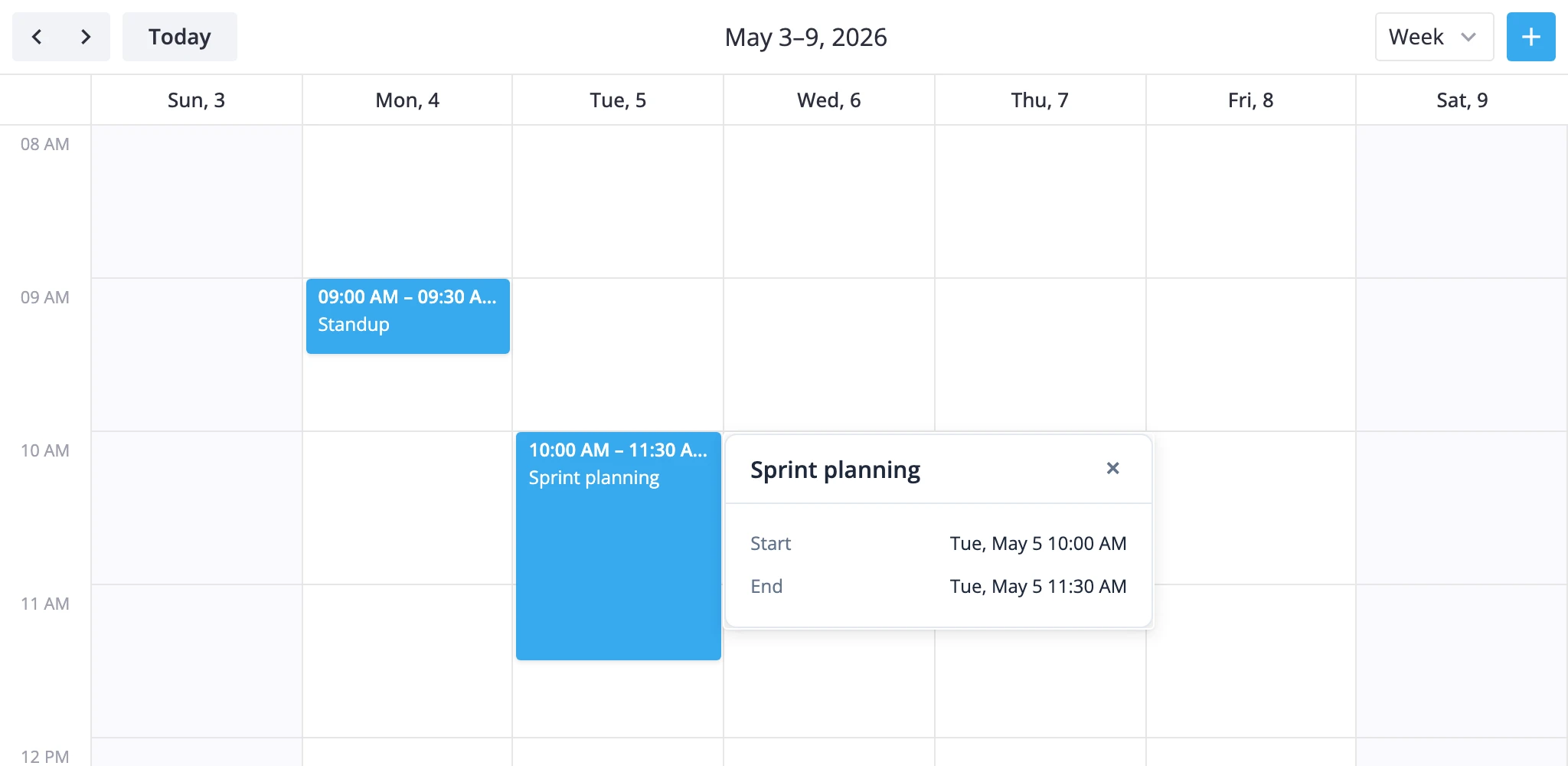
How the event card works
The event card is not a separate exported component. You write a Svelte component, pass it through the eventPopup prop, and the calendar mounts it inside an anchored Popup whenever the user clicks an event.
A few rules drive how it behaves:
- Click detection is movement-aware. The internal click directive listens for
mousedown/mouseupon the section container and treats the interaction as a click only when the pointer stays within a 3 px threshold. This is what separates a click from the start of a drag. - Resolution is store-based. Event elements expose a
data-id. The directive resolves it throughapi.getEvent(...)to find the stored event, then opens the popup with that event. eventPopupoverrides the default click path. WithouteventPopup, an event click dispatchesselect-event(which opens the editor when one is mounted). WitheventPopup, the click opens the card instead -select-eventis not dispatched.- Empty-space clicks dismiss. Clicking outside an event closes the current card. Clicking another event swaps the card to that event.
- The component renders inside the calendar subtree. It can read any Svelte context exposed by the calendar's parent components - useful for passing app-level data such as resource lists.
The card receives two props: the resolved event object and a close callback. You decide what the card looks like and when it dismisses itself.
Passing a component
Define a Svelte component that accepts event and close, then hand it to eventPopup:
<!-- App.svelte -->
<script lang="ts">
    import { Calendar } from "@svar-ui/svelte-calendar";
    import EventCard from "./EventCard.svelte";
    import { getData } from "./data";

    const { data, date } = getData();
</script>

<Calendar
    events={data}
    {date}
    view="week"
    eventPopup={EventCard}
    views={["day", "week", "month"]}
/>
The card component itself reads its props with $props():
<!-- EventCard.svelte -->
<script lang="ts">
    const { event, close } = $props<{
        event: any;
        close: () => void;
    }>();
</script>

<div class="event-card">
    <header>{event.text}</header>
    <p>{event.start.toLocaleString()} - {event.end.toLocaleString()}</p>
    <button onclick={close}>Close</button>
</div>
close is the supported way to dismiss the popup from inside the card - use it after the user confirms an action, navigates away, or clicks an explicit close control.
Reading app data through context
Because the card renders inside the calendar's subtree, it inherits Svelte context from any ancestor - including contexts you set in the parent that mounts <Calendar>:
<!-- parent component -->
<script lang="ts">
    import { setContext } from "svelte";
    import { Calendar } from "@svar-ui/svelte-calendar";

    const resources = [
        { id: "alice", label: "Alice" },
        { id: "bob",   label: "Bob"   },
    ];

    setContext("resources", resources);
</script>

<Calendar events={data} {date} eventPopup={EventCard} />
The card pulls the same context with getContext:
<script lang="ts">
    import { getContext } from "svelte";

    const { event } = $props<{ event: any; close: () => void }>();
    const resources = getContext<Array<{ id: string; label: string }>>("resources");

    const assignee = resources?.find(r => r.id === event.unit_id)?.label;
</script>
This pattern keeps domain data out of every event and lets the card resolve it on demand.
Coexisting with the editor
The default click path opens the editor (when <Editor> is mounted) by dispatching select-event. The eventPopup prop replaces that path, so the editor will not auto-open on click while the card is active.
If you want the card and the editor side by side, route the editor explicitly from a button inside the card. Call api.exec("select-event", { id }) to open the editor for the same event the card is showing:
<!-- EventCard.svelte -->
<script lang="ts">
    import { getContext } from "svelte";
    import type { CalendarContextApi } from "@svar-ui/svelte-calendar";

    const { event, close } = $props<{ event: any; close: () => void }>();
    const api = getContext<CalendarContextApi>("calendar-api");

    function openEditor() {
        api.exec("select-event", { id: event.id });
        close();
    }
</script>

<button onclick={openEditor}>Edit</button>
<button onclick={close}>Close</button>
calendar-api is the Svelte context the calendar exposes for child components; see the API reference for the full surface (getState, getReactiveState, exec, fmt, getEvent).
If you prefer a card-only flow, leave the editor out of the tree - eventPopup does not require it.
When to use what
- Editor only - users edit events through the form. No
eventPopup. Click selects, editor opens. - Card only - users see a read-only or action-driven preview on click.
eventPopupset, no<Editor>. - Card plus editor - card is the entry point, editor opens from a card action.
eventPopupset,<Editor {api} />mounted, card callsapi.exec("select-event", ...).