Calendar MIT vs Calendar PRO (commercial)
The Calendar comes in two builds: a free MIT-licensed version and a PRO version. The free build covers everyday scheduling - three core views, the editor, the toolbar, drag-to-create, theming, and backend wiring. PRO adds the heavier views, recurrence support, and the data and output features that larger scheduling apps usually need.
Both builds share the same component, store, actions, and data shape. You don't write different code for PRO - you import from a different package and the extra views light up. Anything you built against the free API keeps working after an upgrade.
What's in the free build
The MIT version covers most of the surface area of the widget:
- Day, Week, and Month views.
- Toolbar (date nav, Today, view switcher, add-event button), event editor, context menu, hover tooltip, click popup card.
- Composite editor fields including comments and tasklist when you register the matching components.
- Event filtering through
filter-events. - Calendar groups via
CalendarPanel - iCal import and export with
parseICal/serializeICal. - Backend integration through
RestDataProvideror your own action handlers.
What PRO adds
PRO unlocks four extra views, recurring events, and a set of heavier scheduling features:
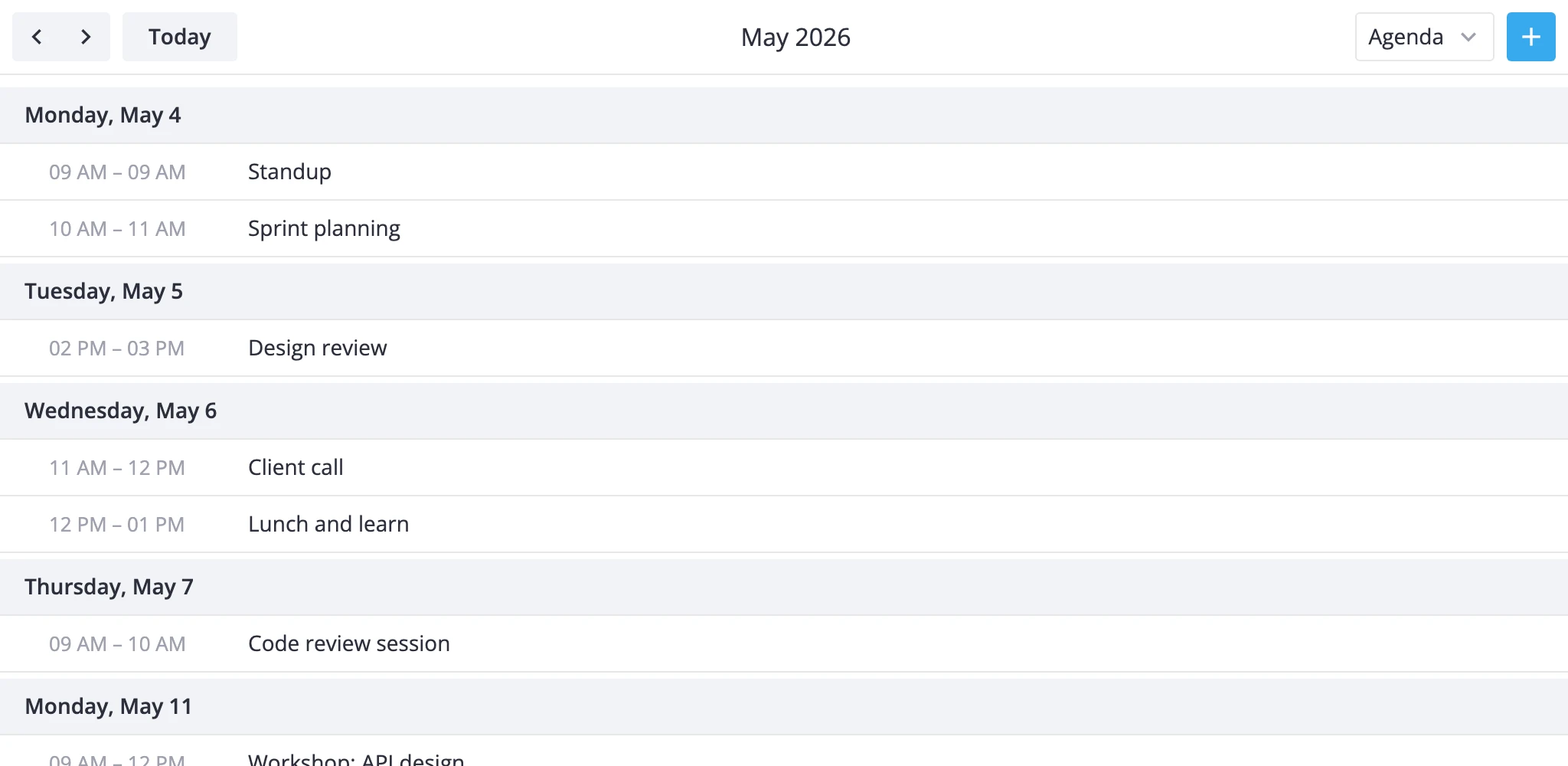
- Agenda view - chronological list grouped by day inside the current month range. Good for daily briefings and "next 14 days" digests.
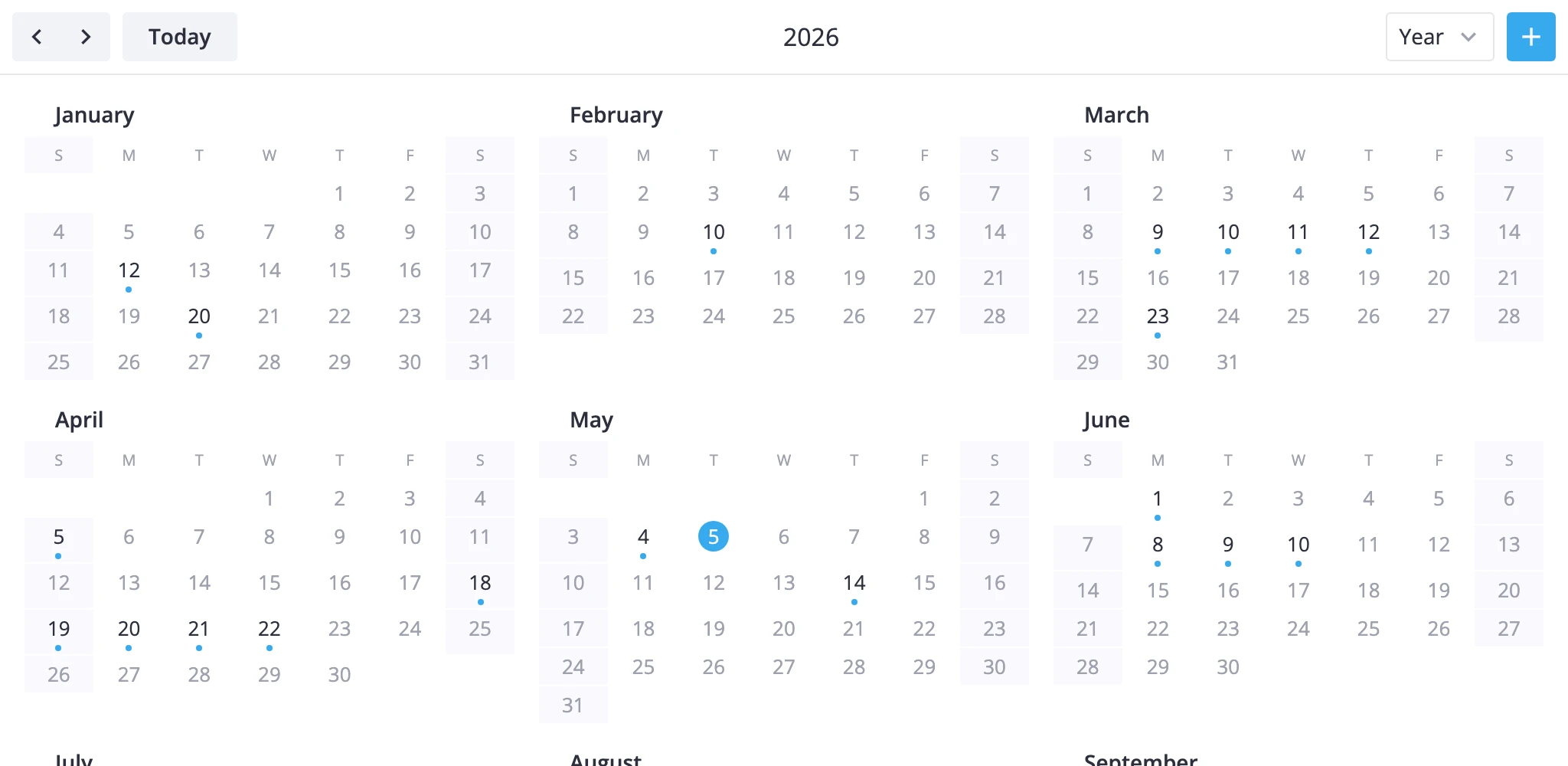
- Year view - twelve mini-month sections with day dots that mark event density. Useful for wide-angle planning.
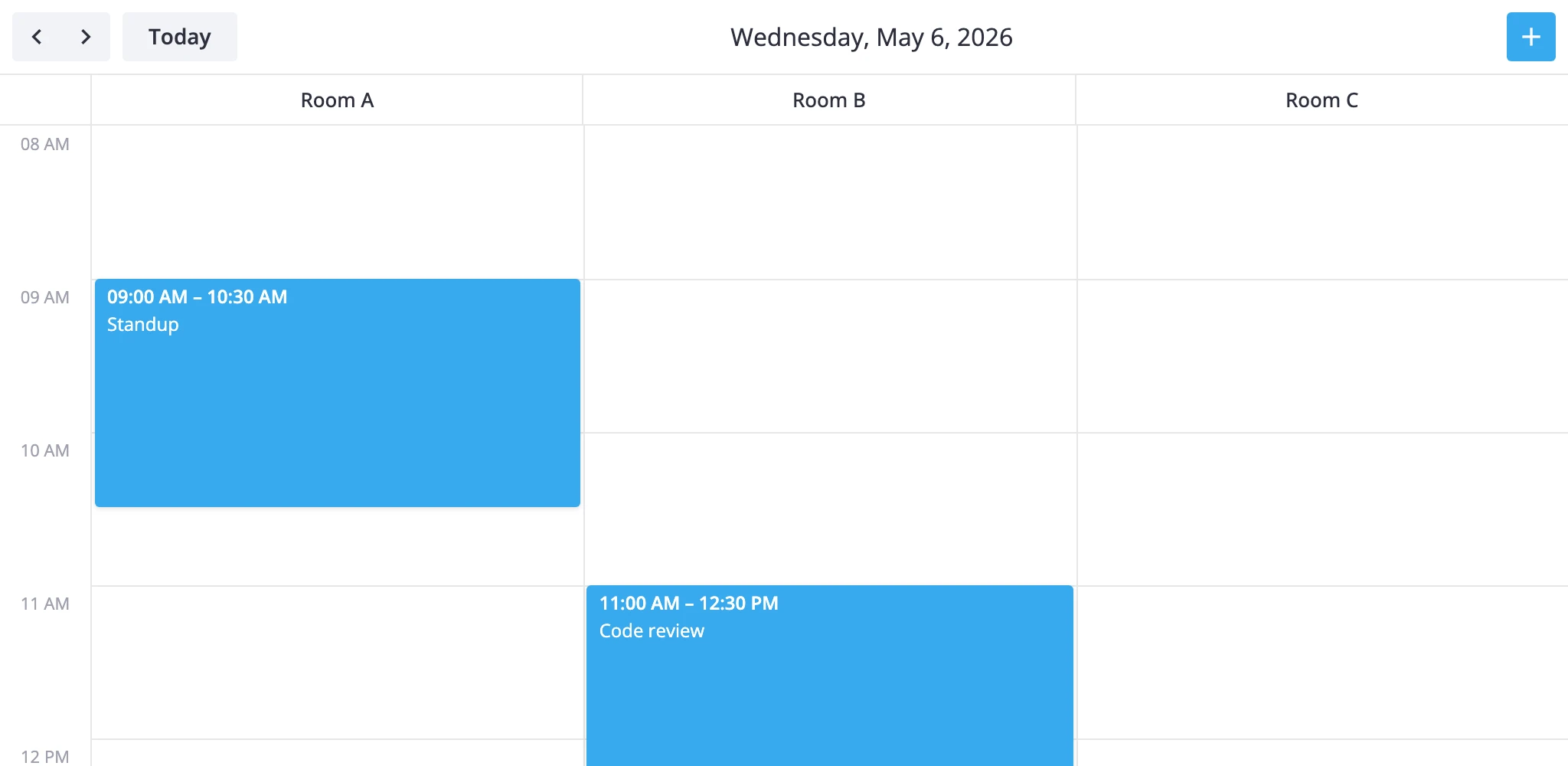
- Resources view - resources as columns, time as rows, single day. Drop-in for room and staff scheduling.
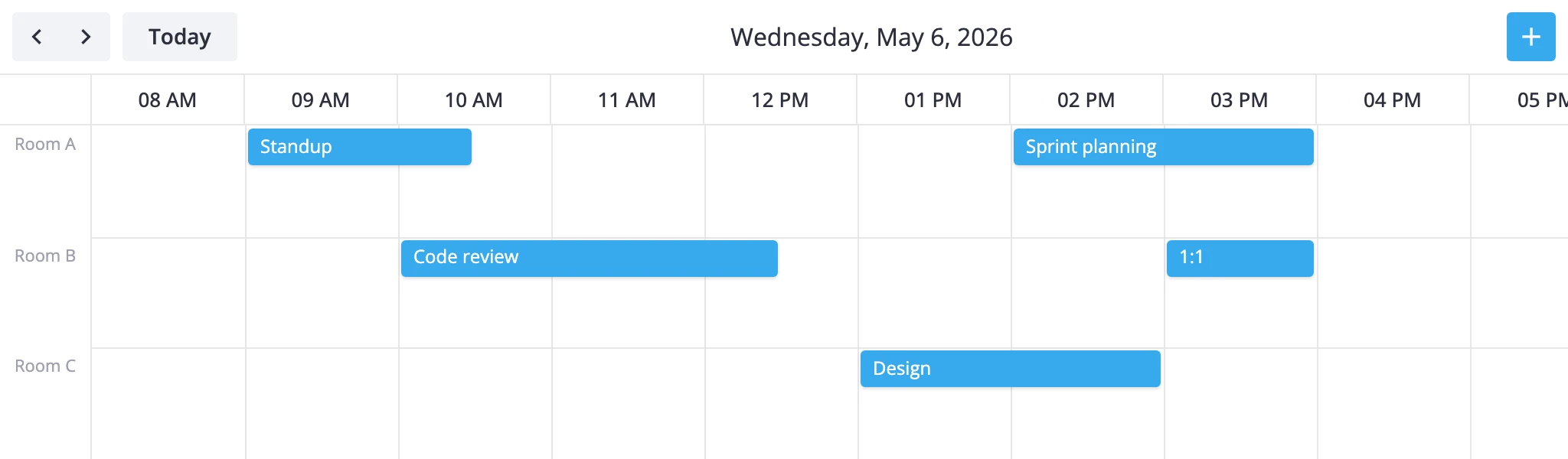
- Timeline view - resources on the y-axis, time on the x-axis. Suits Gantt-style plans across people, equipment, or rooms.
- Recurring events - set
recurring={true}and provide events with anrrulefield. The store expands occurrences into a fully editable series: users can move, resize, edit, or delete a single occurrence or "this and following" throughupdate-event'smodeoption. - Dynamic loading of events - fetch events on demand as the visible range changes, instead of holding the whole dataset in memory. Suits large calendars backed by a server.
- Undo and redo history - step back and forward through event edits, moves, and deletes.
- PDF/PNG export - an export action plus a dedicated export renderer that turn the current view into a downloadable PDF or PNG.
- Time-zone projection helpers - project events into a chosen time zone so they render correctly regardless of the viewer's local offset.
Each PRO view is pre-registered under its id (agenda, year, resources, timeline), so you enable it just by adding the id to the views prop.
Trial version
You can request a free 30-day trial of the PRO edition.
The trial package installs from the public registry:
# yarn
yarn add @svar-ui/trial-react-calendar

# npm
npm install @svar-ui/trial-react-calendar
PRO edition
See the license page for pricing and purchase details.
After purchase you'll receive an email with credentials for the private npm registry that hosts the PRO build. Log in to the registry first:
npm config set @svar:registry https://npm.svar.dev
npm login --registry=https://npm.svar.dev --scope=@svar --auth-type=legacy
Then install the package:
# yarn
yarn add @svar/react-calendar

# npm
npm install @svar/react-calendar
PRO features at a glance
A short tour of what the PRO build adds. Each section links to the full guide.
Agenda and year views
Add the ids to the views prop - the toolbar switcher picks them up, and view selects the one active on mount.
<Calendar events={events} view="agenda" views={["day", "week", "month", "agenda", "year"]} />
Resource scheduling
The resources view puts resources into columns for a single day, timeline puts them into rows across a range. Both bind an event to its resource through an accessor field.
<Calendar
    events={events}
    view="resources"
    views={[
        "week",
        {
            id: "resources",
            sections: {
                timeGrid: {
                    xScale: {
                        items: [
                            { id: "room-a", label: "Room A" },
                            { id: "room-b", label: "Room B" },
                        ],
                        accessor: "roomId",
                    },
                },
            },
        },
    ]}
/>
Recurring events
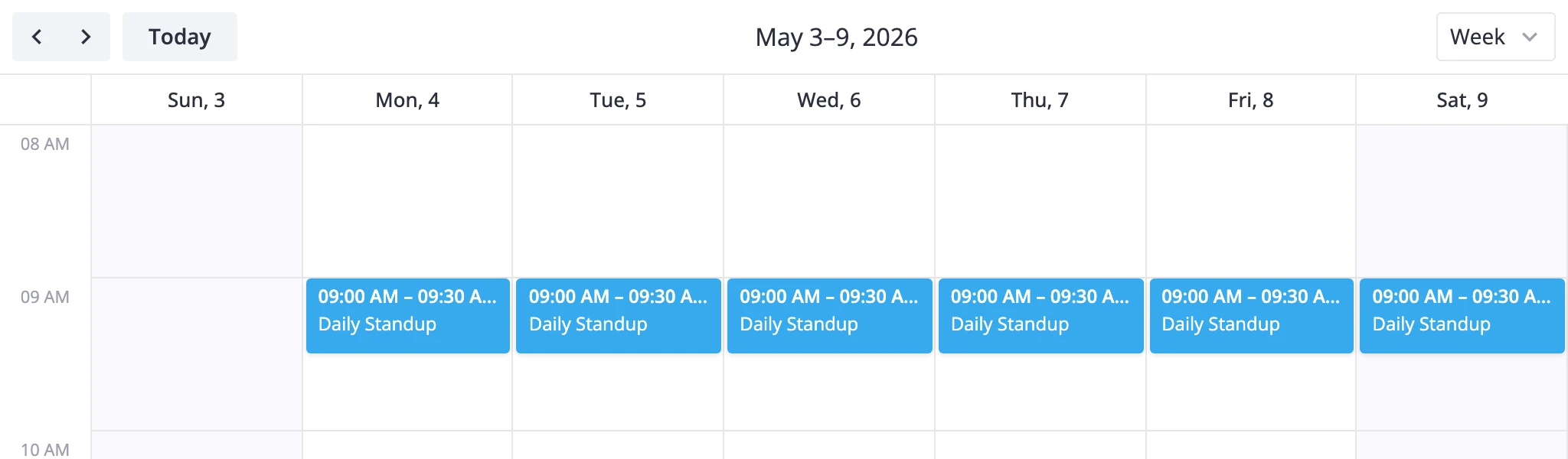
Set recurring and give events an rrule field. The store expands the series for the visible range, and the editor gets a recurrence form - see the recurring events guide.
<Calendar events={events} recurring={true} />
const events = [
	{
		id: 1,
		text: "Daily standup",
		start: new Date(2026, 4, 5, 9, 0),
		end: new Date(2026, 4, 5, 9, 30),
		rrule: "FREQ=DAILY;COUNT=20",
	},
];
Undo and redo
Set history and every add, edit, move, and delete becomes reversible. The default toolbar gets the controls - see the undo/redo guide.
<Calendar events={events} history={true} />

Dynamic loading
Keep only the visible range in memory: a DynamicLoader turns every range change into a backend request and pushes the result back into the widget - see the dynamic loading guide.
function init(api) {
	let provider;
	const loader = new DynamicLoader(
		{ preload: "month" },
		{
			fetch: range => provider.getData(range),
			dispatch: data => api.exec("provide-data", data),
		}
	);

	provider = new RestDataProvider(url, { loader });
	api.setNext(provider);
}
Export to PDF and PNG
One action sends the current view to the rendering service and returns a file - see the export guide.
api.exec("export-data", {
	url: "https://export.svar.dev/calendar/" + version,
	format: "pdf",
});